


A portfolio site has one job: make your work look inevitable. That makes choosing Framer portfolio templates a different exercise from picking a template for a startup or a store — the template is the frame, your projects are the painting, and the frame must never win. I ranked templates across every category in my best Framer templates roundup; this one goes deep on portfolios only.
Quick answer: The Framer Marketplace’s Creative category is the deepest portfolio template source right now — twelve picks below, all verified with live links and current prices, six of them completely free. Premium buys you more pages and deeper CMS collections for case studies; free gets you launched today. Either way, judge the template with your own work in mind, not the demo’s.
What a Portfolio Template Has to Survive
Before the list — the four portfolio-specific tests I apply in every live preview:
- Your work, not the demo’s. Every demo is filled with immaculate, consistent placeholder projects. Picture your actual portfolio in it: mixed aspect ratios, one project with weak photography, a case study that’s mostly text. The right template absorbs that mess gracefully.
- Image-heavy performance. Portfolios are galleries, and galleries are heavy. Check that the template lazy-loads project grids and doesn’t stack three full-screen images above the fold — a gorgeous portfolio that takes six seconds to paint loses the client before the first project.
- Case-study depth. A flat image grid is fine for photographers; designers and agencies need real project pages — a CMS collection with room for problem, process, and result. Check whether project detail pages exist and are CMS-driven, not hand-built one-offs.
- The contact path. A portfolio’s conversion is an email. However beautiful the grid, there should be a frictionless route from any project to your contact page — count the clicks in the demo.

Prices below are as listed on the official marketplace at the time of writing. Six premium first, six free after — the free ones are genuinely usable, not consolation prizes.
Premium Framer Portfolio Templates
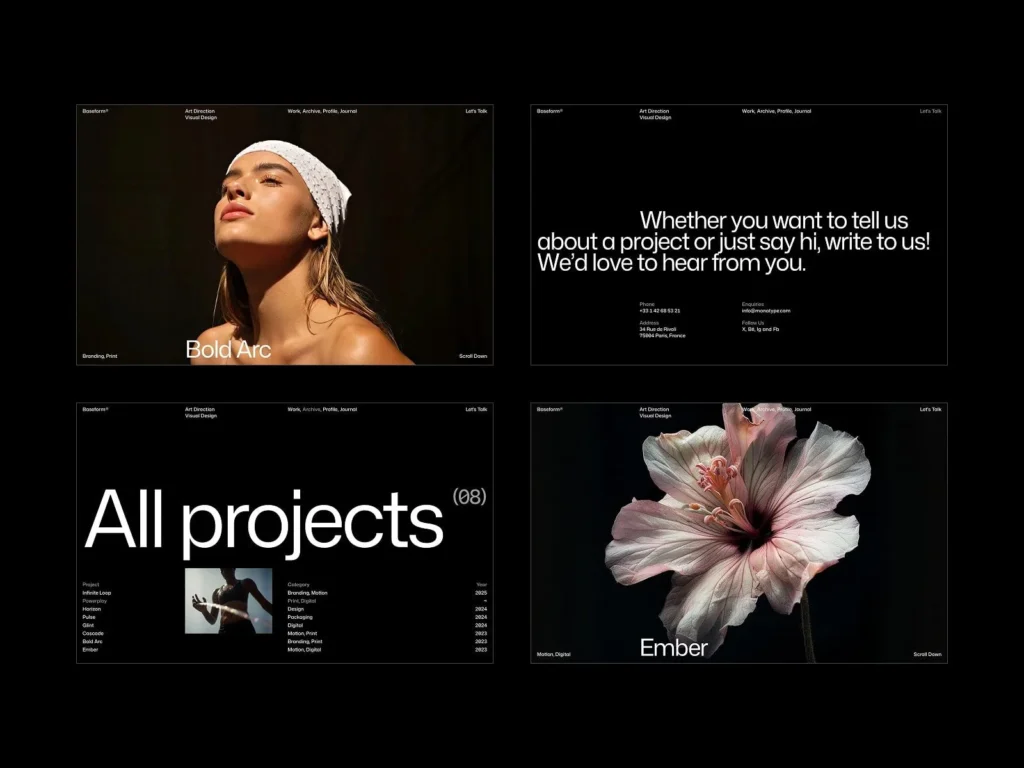
1. Baseform — $49
By ThemeRain, and the first one I’d shortlist: it’s positioned exactly at work-first portfolios — agencies, freelance creatives, videographers, studios — and at $49 it undercuts most of the premium tier while staying one of the most recommended portfolio picks in the Framer community right now.
2. Viral — $129
By Hamza Ehsan, at the top shelf of the Creative category. At $129 the standard is simple: full CMS-driven case-study pages, complete page coverage, and structure clean enough to maintain — hold the preview to all of it before paying designer-day money.
3. Vertical — $129
By Tamas Bodo, the other premium heavyweight in the Creative ranks. For a portfolio at this tier, run the motion test hardest: animation should present your projects, not perform alongside them.
4. Valtero X — $99
By Deni from Flowmance — another of the marketplace’s established multi-template studios, which matters for the boring reasons: consistent conventions, real updates, and somewhere to ask questions after purchase.
5. Monocromo — $89
By Satto.studio. A monochrome direction is the quiet professional’s choice for a portfolio: the neutral canvas makes colorful work jump and keeps a mixed-media project list from fighting the site around it. If your work supplies the color, this logic is hard to beat.
6. Clipster — $44
By NutsDev, the cheapest paid pick here — and as the name hints, worth a first look if your work moves: motion designers, editors, videographers. At $44, if the preview handles video embeds cleanly, the decision makes itself.
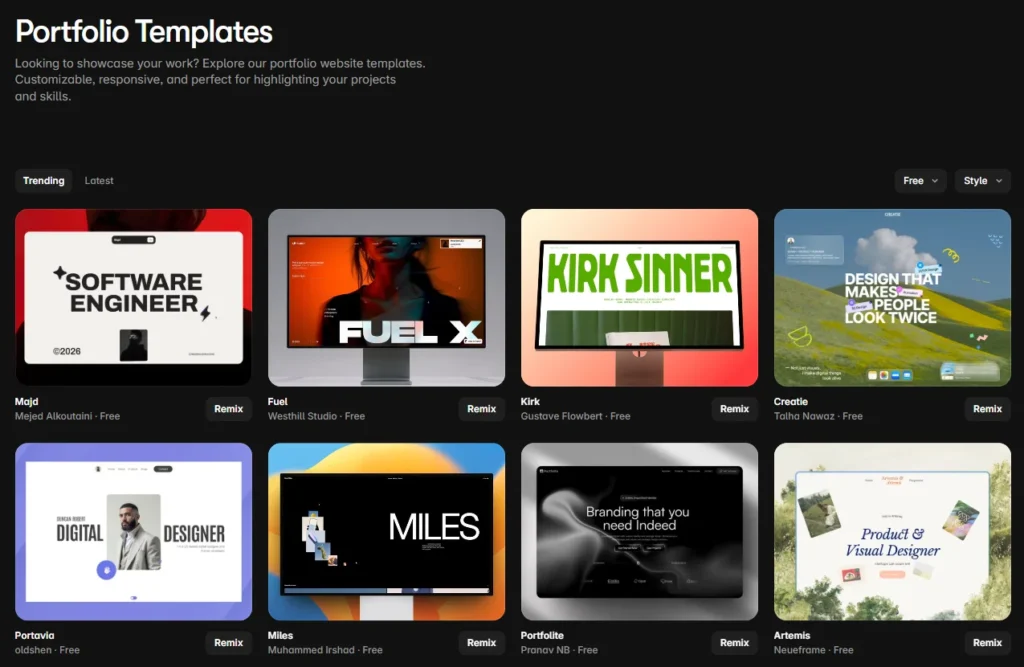
Free Framer Portfolio Templates
One honest note before the free picks: the template costs nothing, but publishing on your own custom domain requires a paid Framer site plan — budget for that either way (my Framer pricing guide breaks down every plan). What free changes is the design line item, and these six make it a genuinely good trade.
7. Resize — Free
By Dawid Pietrasiak. Free portfolio templates are where corners usually get cut, so one holding a front-rank spot in the Creative category is the exception worth starting with. If your budget is zero and your work is strong, begin here.
8. Stacky — Free
By Toni Järvinen. Free and current in the Creative ranks — run it through the real-content test with your three strongest and one weakest project, and you’ll know within minutes whether it’s yours.
9. SwissMono — Free
By Swiss Themes, and the name announces the school: grid discipline, typographic restraint, content first. It’s the most durable aesthetic a portfolio can wear — trends age out; Swiss-adjacent doesn’t — and here it costs nothing.
10. Bold Design Portfolio — Free
By Michael Slotta. The inverse of SwissMono: a heavyweight layout for loud work. If your projects can carry a big stage — brand work, posters, expressive visual design — a quiet template would mute them; this one won’t.
11. Small Studio — Free
By Akim, aimed where the name points: small studios and independent professionals who need a credible presence more than a spectacle. Sometimes the right portfolio is simply tidy, fast, and done by Friday.
12. Aerra — Free
By Pawel Gola — a free entry from one of the largest template catalogs in the Framer ecosystem. That’s a practical advantage: if you outgrow it, upgrading within the same studio’s catalog keeps the conventions you’ve already learned.
How to Choose Between Them
Match the layout to the work, not to your taste. High-volume visual work — photography, illustration — wants a grid that gets out of the way (SwissMono, Monocromo, Resize). Process-driven work — UX, product, brand strategy — wants case-study depth (hold Baseform, Viral, and Vertical to that standard in the preview). Moving work wants a template that treats video as a first-class citizen (Clipster). And if the demo looks best with its placeholder content still in it, that’s the template telling you no.
Frequently Asked Questions
Is Framer good for portfolio websites?
For pure portfolio work — visual projects, motion, image-heavy pages — Framer is one of the strongest platforms available: fast output, first-class animation, and a deep template ecosystem. WordPress becomes the better choice when the site needs machinery beyond the portfolio itself — a serious blog, a shop, memberships, or plugin-driven integrations.
Is there a free portfolio template for Framer?
Many — six of the twelve picks in this list are free, including Resize, Stacky, SwissMono, Bold Design Portfolio, Small Studio, and Aerra. The template costs nothing; just remember that publishing on a custom domain requires a paid Framer site plan.
What is the best Framer template for a design portfolio?
It depends on the work. Grid-first minimal templates suit photographers and illustrators; case-study-driven templates suit UX and product designers who need to show process; heavyweight layouts suit loud brand work. Baseform is the strongest general-purpose starting point at a sensible price — but always run the live preview with your own projects in mind.
How do I make a portfolio with Framer?
Pick a template and hit Remix — that copies the whole project into your Framer account. Replace the demo projects with your own work, adjust type and colors to your identity, connect a custom domain on a paid site plan, and publish. A focused weekend is a realistic timeline for a first version.
Should I use Framer or WordPress for my portfolio?
Framer, if the portfolio is the whole point — it will look better faster. WordPress, if the portfolio is one part of a bigger site: heavy blogging, ecommerce, client logins, or custom integrations. Plenty of professionals run both — a Framer portfolio and a WordPress business site — and the designs can be rebuilt across platforms when needs change.
Wrapping Up
Twelve templates, six of them free, all live on the marketplace today. Pick the one that survives contact with your real work — the messy project, the long title, the case study that’s mostly words — and it will keep making you look good long after the demo gloss would have worn off.
And if the portfolio you have in mind won’t fit inside any template — custom Framer builds, Figma-to-Framer, or moving a design into WordPress when the project needs heavier machinery — that’s the work I do. Get in touch and show me what you’re building.
Shahbaz Ali is a senior WordPress developer with 6+ years of agency experience, specializing in WordPress development, speed optimization, and emergency fixes.