

The question isn’t which platform is better — it’s which platform is better for what you’re building. After six-plus years of building with WordPress and shipping client projects in Webflow, I can tell you both are excellent at completely different things, and the wrong choice costs more than either platform ever will.
This is the honest comparison I wish existed when my clients ask. No affiliate links, no platform loyalty — just the real trade-offs from someone who works in both every week.
Quick answer: Choose WordPress when you need a serious blog, ecommerce (WooCommerce), memberships, complex integrations, or full control over hosting and code. Choose Webflow when you want pixel-perfect design with native animations, a visual CMS for a marketing team, and fast shipping without plugin management. WordPress wins on flexibility and scale; Webflow wins on design speed and maintenance simplicity.
The Core Difference (in One Paragraph)
WordPress is open-source software you install on your own hosting — you own everything, control everything, and maintain everything. Webflow is a hosted platform where design, CMS, and hosting are one integrated service — you trade some control for not having to think about servers, updates, or plugin conflicts. That single architectural difference is behind every trade-off below.
Design & Visual Building
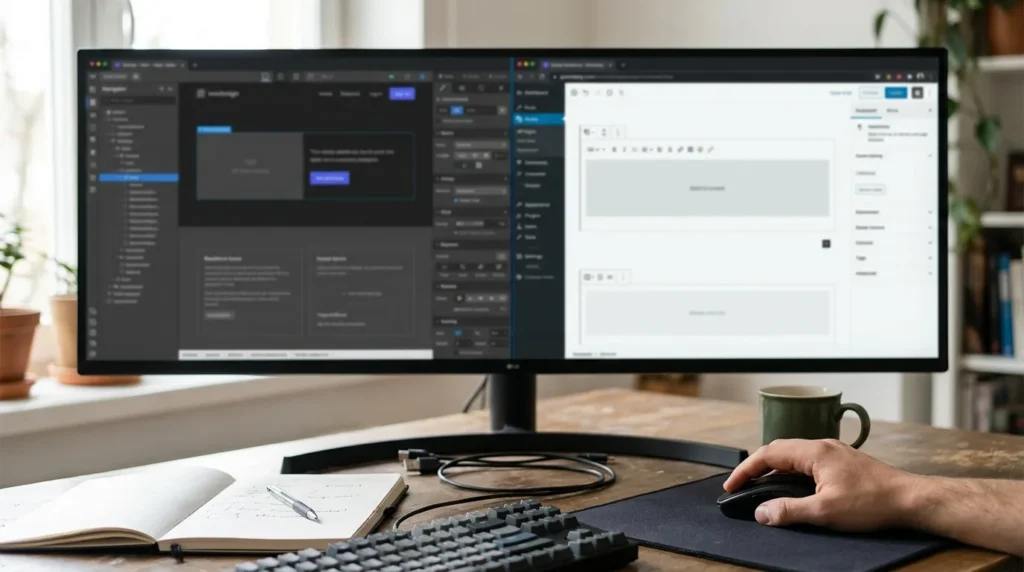
Webflow wins here, and it’s not close. Webflow’s visual builder outputs clean, semantic HTML and CSS directly — what you see is genuinely what ships. Animations, interactions, responsive breakpoints, and layout are all native, visual, and precise. A designer who thinks in CSS can build in Webflow faster than in any WordPress tool.
WordPress answers with page builders — Elementor, Bricks, Divi — which are powerful but add abstraction layers, extra markup, and their own learning curves. A skilled Elementor developer produces great results (I do it daily), but the path from design to pixel-perfect output is longer and more dependent on the builder’s conventions. Native Gutenberg is improving rapidly but still trails Webflow’s visual precision for marketing pages.
Content Management (CMS)
WordPress wins for depth; Webflow wins for elegance. WordPress’s CMS is the most battle-tested content system on the web — custom post types, Advanced Custom Fields, taxonomies, user roles, revision history, and a plugin for literally any content structure you can imagine. If your site has hundreds of blog posts, multiple authors, or complex content relationships, WordPress handles it without breaking a sweat.
Webflow’s CMS is cleaner and more intuitive for small-to-medium content — a marketing team can manage blog posts, case studies, and team bios without training. But it has hard limits: 10,000 CMS items on the top plan, no native custom post types, no membership-gated content, and a simpler relationship model. For a 50-post blog with a three-person marketing team, Webflow’s CMS is a joy. For a 5,000-product catalog or a multi-author publication, it’s a wall.
Ecommerce
WordPress (WooCommerce) wins decisively. WooCommerce powers a huge share of online stores worldwide with unlimited products, full tax and shipping logic, subscriptions, bookings, and a plugin ecosystem that covers every edge case. It’s not the simplest setup, but the ceiling is essentially unlimited.
Webflow Ecommerce exists and works for small catalogs (under ~500 products, straightforward checkout), but it lacks the depth for serious stores: no native subscriptions, limited payment gateways, no marketplace capability. If ecommerce is core to the business, WordPress + WooCommerce is the honest answer. My WooCommerce vs Shopify comparison covers how it stacks up against the main hosted alternative.
Speed & Performance
Webflow ships fast out of the box; WordPress can be faster but needs work. Webflow hosts on a global CDN with optimized output — a fresh Webflow site scores well in Core Web Vitals without touching a setting. WordPress sites range from blazing to sluggish depending entirely on the hosting, theme, plugins, and optimization effort. A well-tuned WordPress site on good hosting beats Webflow’s defaults (I’ve done it), but “well-tuned” is the operative word — it takes knowledge and maintenance.
If performance matters and nobody on the team wants to learn caching, image optimization, and Core Web Vitals tuning, Webflow removes the question entirely. If you’re willing to invest in speed optimization (or hire someone who does it), WordPress’s ceiling is higher. My guide to fixing a slow WordPress site shows what that tuning looks like.
SEO
WordPress has the deeper toolkit; Webflow covers the essentials. WordPress with Rank Math or Yoast gives you granular control over every SEO element — meta tags, schema markup, XML sitemaps, redirects, canonical URLs, breadcrumbs, and the entire ecosystem of SEO plugins. For a site where organic search is the primary growth channel, WordPress’s SEO infrastructure is unmatched.
Webflow handles the fundamentals well — clean HTML, fast loading, customizable meta, auto-generated sitemaps, and decent redirect management. For most marketing sites that need good SEO rather than competitive SEO, Webflow’s built-in tools are sufficient. The gap shows when you need advanced schema, programmatic SEO at scale, or the kind of technical control that plugins like Rank Math provide.
Plugins & Integrations
WordPress wins on breadth; Webflow wins on not needing them. WordPress has over 60,000 plugins — and that’s both its superpower and its maintenance burden. Need a booking system, an LMS, a CRM integration, a membership portal? There’s a plugin. Need to debug why your admin is slow? There’s a plugin causing it, and a guide for finding it.
Webflow integrates through native connections (Zapier, Make, Airtable) and custom code embeds rather than installable plugins. The result is fewer moving parts, fewer conflicts, fewer security patches — and a smaller set of things you can do. For standard marketing sites, that’s a feature. For anything that needs custom server-side logic, it’s a limitation.
Cost
WordPress can be cheaper; Webflow is more predictable. WordPress itself is free; hosting starts under $5/month and scales to whatever you need. But the real cost includes a theme or builder ($50–$200/year), premium plugins ($100–$500/year for a typical stack), and maintenance time or a developer. Total cost ranges wildly from $100/year for a basic blog to $2,000+/year for a serious business site.
Webflow’s pricing is transparent: site plans run $14–$39/month for most sites, workspace plans on top for team collaboration. No plugin fees, no hosting decisions, no surprise renewal costs. You pay more per month than a cheap WordPress setup, but less than a WordPress site with premium plugins, quality hosting, and developer maintenance — and zero surprises.
Maintenance & Security
Webflow wins by removing the question. WordPress sites need regular updates (core, theme, plugins), security monitoring, backups, and occasional emergency fixes when an update breaks something — that’s the reality behind guides like my critical error fix and 500 error fix. The maintenance is manageable with discipline, but it’s real ongoing work.
Webflow handles hosting, security, SSL, and platform updates invisibly. You never patch a plugin, never debug a white screen, never worry about a brute-force attack on wp-login. For teams without a developer on call, this is Webflow’s strongest selling point.
When to Choose WordPress
- You need ecommerce beyond a simple storefront (WooCommerce)
- You need memberships, LMS, or gated content
- You run a content-heavy site — hundreds of posts, multiple authors, complex taxonomies
- You need plugin-dependent features that don’t exist in Webflow’s ecosystem
- You want full ownership of your code, data, and hosting (no platform lock-in)
- You have (or can hire) a developer for ongoing maintenance
When to Choose Webflow
- You’re building a marketing site, portfolio, or landing pages where design is the differentiator
- Your team includes designers who want to build without developers
- You want native animations and interactions without custom code
- You need a CMS that’s easy for non-technical editors (under ~500 content items)
- You don’t want to think about hosting, updates, or security
- You value shipping speed over maximum flexibility
The Third Option Nobody Talks About
Plenty of businesses run both — a Webflow marketing site for its design speed and a WordPress backend for ecommerce, the blog, or member areas. And designs built in one platform can be rebuilt in the other when needs change: I’ve moved Webflow designs into WordPress (via Elementor or custom theme) when a project outgrew Webflow’s CMS, and I’ve moved WordPress sites to Webflow when a team wanted to stop managing plugins. The platforms aren’t marriages; they’re tools.
Frequently Asked Questions
Is Webflow better than WordPress in 2026?
Neither is categorically better — they solve different problems. Webflow is better for design-led marketing sites shipped fast without developer maintenance. WordPress is better for content-heavy sites, ecommerce, memberships, and anything that needs the depth of 60,000+ plugins. The right choice depends on what you’re building and who’s maintaining it.
Is Webflow faster than WordPress?
Out of the box, yes — Webflow ships on a CDN with optimized output. But a properly tuned WordPress site on good hosting can match or beat Webflow’s speed. The difference is that Webflow is fast by default, while WordPress requires caching, image optimization, and hosting choices to get there.
Can I move my site from Webflow to WordPress (or vice versa)?
Yes, but it’s a rebuild, not a migration — there’s no automated export path between the two. The design, content structure, and CMS need to be recreated in the new platform. It’s a real project, typically taking a few days to a couple of weeks depending on the site’s complexity.
Is Webflow good for SEO?
Yes, for most sites. Webflow produces clean HTML, loads fast, and gives you control over meta tags, sitemaps, and redirects. WordPress has deeper SEO tooling through plugins like Rank Math for competitive niches, but Webflow’s built-in SEO handles the fundamentals well enough for the majority of marketing sites.
Is Webflow free?
You can build for free on a webflow.io subdomain, but publishing on a custom domain requires a paid site plan starting around $14 per month. WordPress itself is free but requires separate hosting — total cost depends on the hosting, theme, and plugins you choose.
Wrapping Up
WordPress and Webflow are both excellent — at different things. WordPress gives you unlimited flexibility and ownership at the cost of maintenance; Webflow gives you design speed and simplicity at the cost of depth. Match the tool to the job, not to the loudest opinion on Twitter. If Squarespace is also on your shortlist, my Squarespace vs WordPress comparison covers that decision, and my Wix vs WordPress comparison covers the other popular builder.
And if you need help with either side — a WordPress site that needs to be faster, more reliable, or better structured, or a Webflow design that’s outgrown the platform and needs a WordPress rebuild — that’s the work I do. Get in touch and tell me what you’re building.
Shahbaz Ali is a senior WordPress developer with 6+ years of agency experience, specializing in WordPress development, speed optimization, and emergency fixes.